Inventory FAQ
Q: How do I make an Item Inactive?
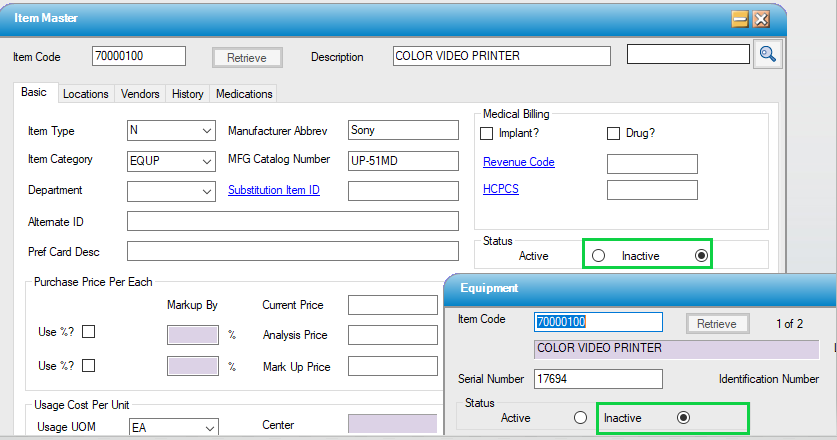
A: Items that have been attached to a case cannot be deleted in HST, so make the item inactive if it is no longer to be used. First, make sure the quantity on-hand is 0. If it is not, create an Inventory Transaction to make it so. Then, go to Preference Card Utilities to delete or replace the item on all applicable physician preference cards. Finally, go to Item Master and flag the item as Inactive.
If the Item to be inactivated has Equipment records attached, be sure to Inactivate the Equipment records first ... especially for centers that have eChart. Active Equipment records will still show up in eChart, even if the Item has been inactivated.
Q: How do I count my Inventory?
A: Go to Physical Count to see full instructions for performing the count.